
The Link
A downloadable Game for Windows
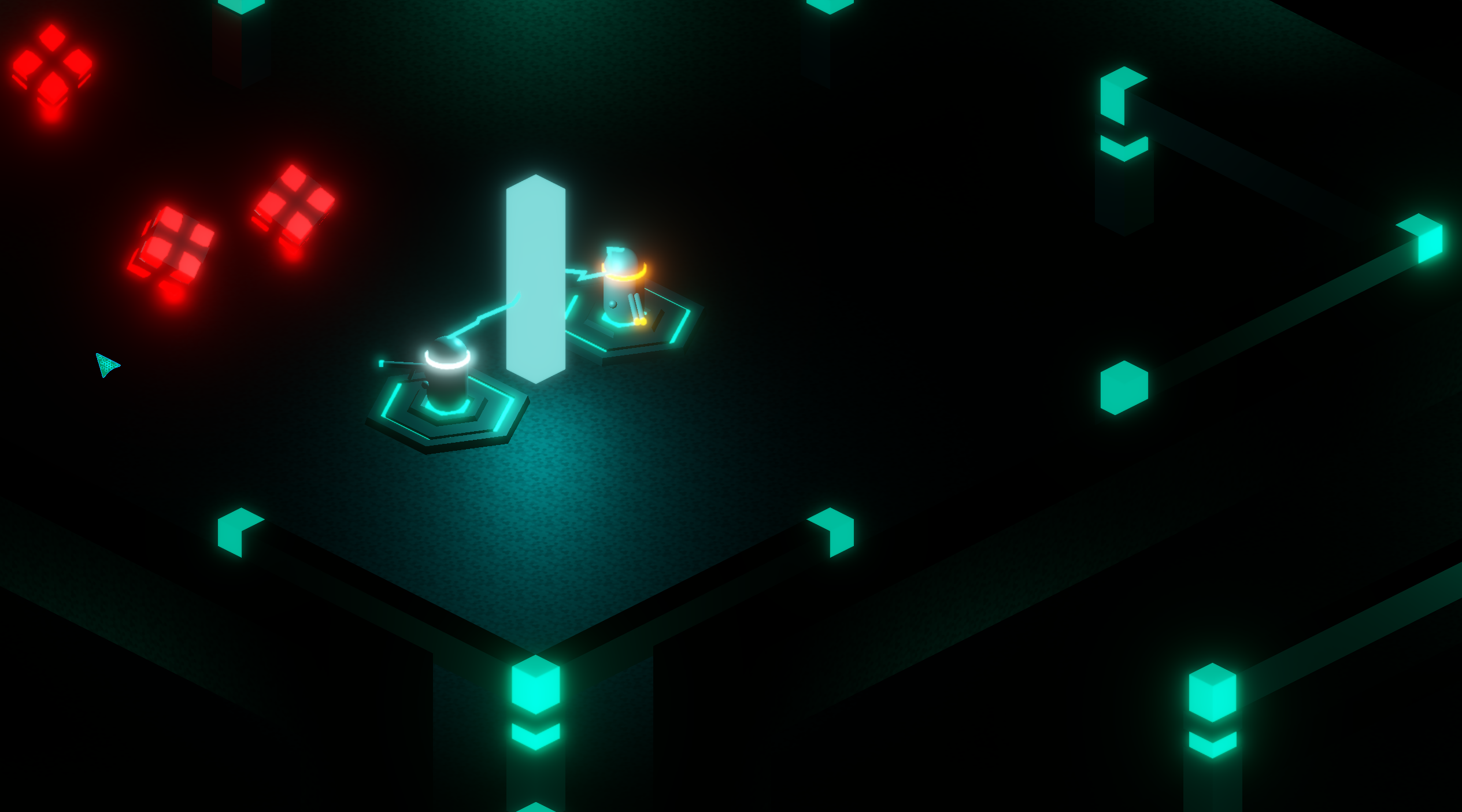
The Link is a fast-paced co-op isometric neon-cyberpunk shooter built for 2 players. Inside a corrupted digital grid, you and your partner must defend the central Monolith Core against relentless waves of self-detonating kamikaze data-packets.
Your greatest weapon is not your gun—it's The Link, a highly unstable plasma tether connecting both players. Stay close to buffer your systems and synchronize your firepower. Wander too far, and the tether will turn critical, snapping with a massive energy backlash that heavily damages both units.
Can you synchronize your coordinates, adapt your loadouts, and secure the system?
---
⚡ GAMEPLAY FEATURES
- The Tether Mechanics: A physical neon plasma beam connects you and your partner. It changes color based on distance (Teal -> Orange -> Flashing Red) and deals massive penalty damage upon breaking.
- Asymmetric Arsenals: One player deploys with a high-rate Assault Rifle for medium-range crowd control, while the other wields a devastating Shotgun for heavy close-quarters burst damage.
- Dynamic Threat Assessment: Self-destructing enemies navigate the labyrinth via advanced pathfinding. They detonate on contact, dealing splash damage that scales down the farther you are from the blast epicenter.
- Real-time Neon Damage Feedback: Both the central Monolith and your character's headbands dynamically shift from pure neon-teal to critical warning-red as structural integrity fails.
---
🎮 CONTROLS
- W, A, S, D — Move your character (perfectly aligned with isometric camera angles)
- Mouse Movement — Aim weapon / Turn towards cursor
- Left Mouse Click (LMB) — Shoot (Assault Rifle automatic fire / Shotgun buckshot blast)
- ESC — Open System Pause Menu (Adjust volume sliders or abort mission)
---
🌐 MULTIPLAYER GUIDE (Dedicated VPS Server Hosted)
My network infrastructure uses a custom, high-performance UDP relay server hosted on a remote VPS to ensure low-latency data synchronization. Follow these simple steps to deploy with your partner:
🏠 How to Host a Session (Player 1)
- Launch the game.
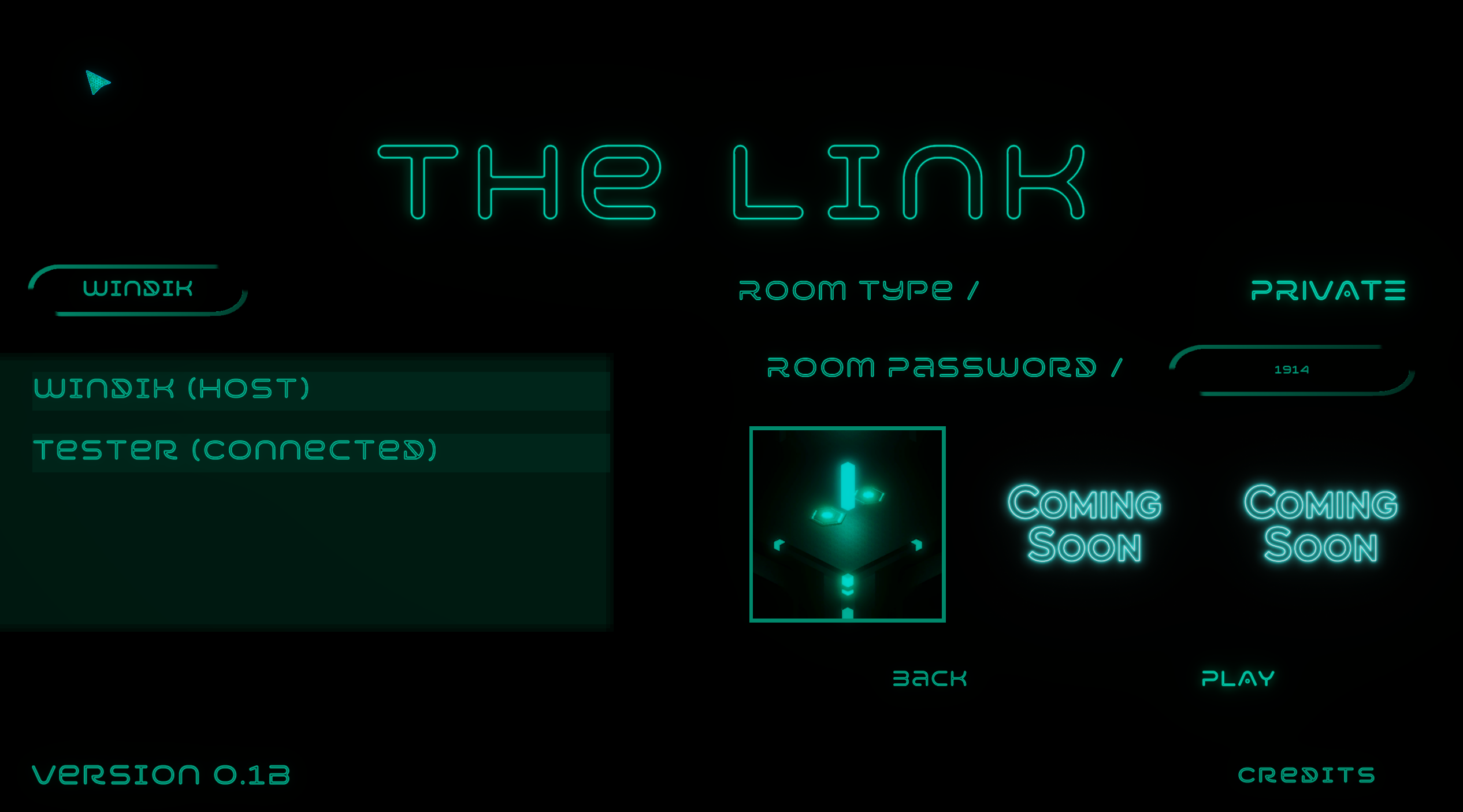
- Click the CREATE ROOM button and enter your Nickname.
- The central interface will clear, and you will enter the Lobby Panel.
- Look at the ROOM PASSWORD field at the top right corner. You will see a unique digit code (e.g., 6421 or 950).
- Dictate this code to your partner. Select your map variant and wait for connection.
👤 How to Connect to a Session (Player 2)
- Launch the game and click the JOIN ROOM button.
- Enter your Nickname in the left field.
- In the right field labeled Enter Room Password, type the exact digit code provided by your host.
- Click the neon JOIN button. You will instantly bypass firewall filters and synchronize inside the host's lobby.
Once Player 2 is connected, the Host can select a map card and click PLAY. Both instances will instantly shift into the combat zone!
🤖 New Feature: Play With a Companion Bot
Many players enjoyed the idea of The Link but didn't always have a second player available.
Because of that, you can now play with a companion bot!
How to Start a Bot Game
- Launch The Link
- Select Create Room
- Change Game Type from Player to Bot
- Select a map
- Press Play
The bot is designed to support the core co-op mechanics while allowing you to experience the game even when playing solo.
This is only the first version of the companion system, and I plan to improve it based on player feedback.
Stay linked. Stay alive.
⚡ No Second Player? No Problem.
The Link was originally designed as a two-player co-op experience.
However, after receiving feedback during the GameDev.tv Jam, I realized that many players wanted to try the game but didn't always have a partner available.
To solve this, I've added a companion bot mode that allows you to experience the game on your own while keeping the core connection mechanics intact.
Whether you're playing with a friend or with a bot companion, the mission remains the same:
Stay connected. Survive together.
Download
Install instructions
1. Download and extract the ZIP archive to any folder on your computer.
2. Launch "TheLink.exe" to start the application.
3. IMPORTANT FOR TESTING: To test the multiplayer mechanics on a single PC, simply launch "TheLink.exe" twice to open two independent game windows.
4. Host a room in the first window, copy the digit password, and enter it in the second window to connect via our dedicated VPS server!
5. Make sure to allow the game access through the Windows Defender Firewall if prompted (needed for UDP traffic synchronization).
Development log
- Devlog #2 — What The Jam Taught MeJun 02, 2026
- Devlog #1 — The BeginningMay 26, 2026
Comments
Log in with itch.io to leave a comment.
Do you plan to release a showcase vieo?
Yes, thanks for the idea! I think I should make a video about the game, demonstrating how to play and some of the gameplay.